


Elixir
<!--
Work info
-->
Client:
HomeServices Of America
Industry:
Real Estate, B2C, WCAG
Role:
Sr. UX/UI Designer
Year:
2023
Platform:
Desktop, Tablet & Mobile
Project Overview
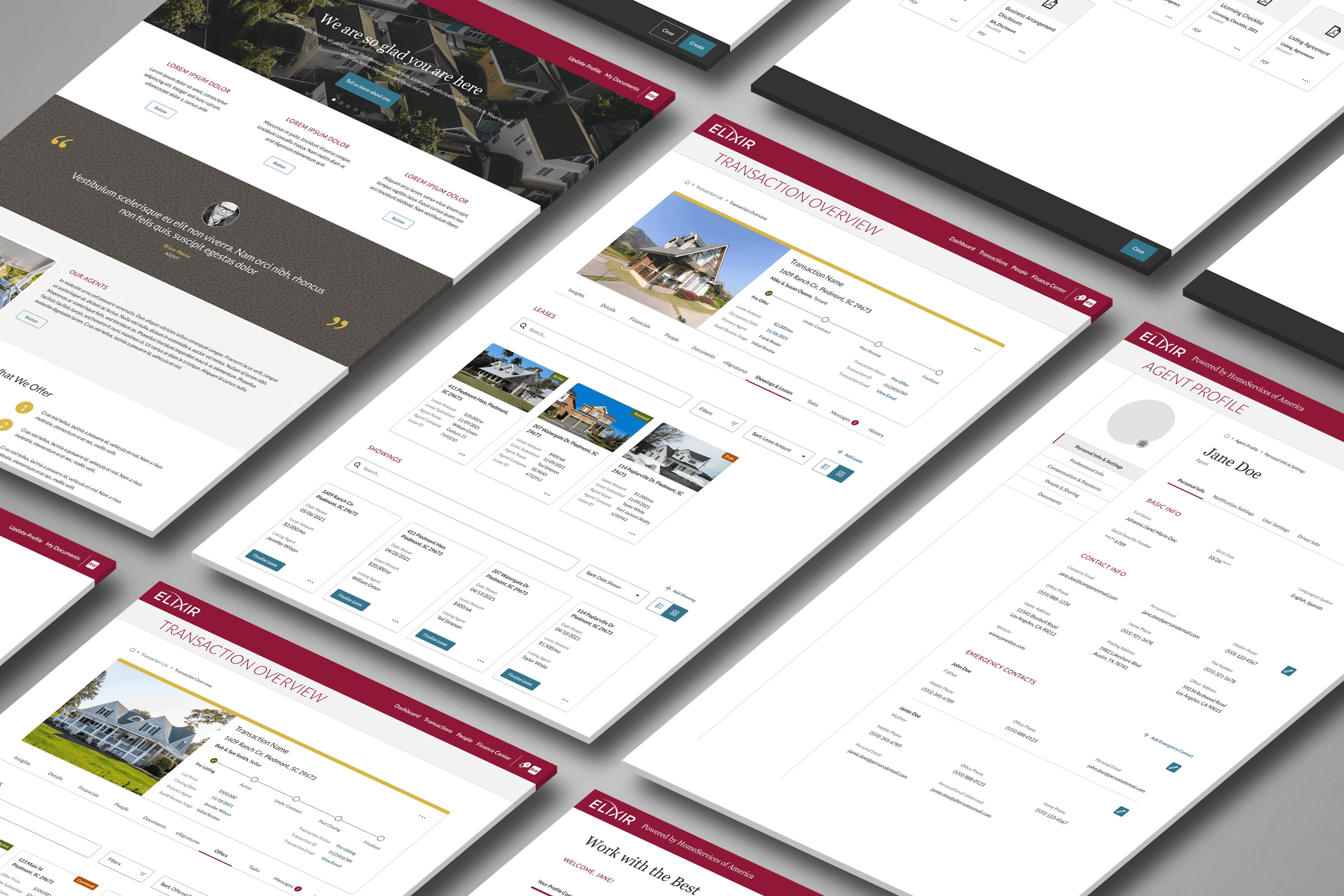
Elixir is a web‑based property management tool for realtors, agents, and tenants. The product offered good features but was not accessible to users with disabilities — especially screen reader users, keyboard‑only users, and those with low vision.
Goal
Bring the product up to WCAG 2.1 AA accessibility standards
Improve usability for assistive technology users
Do this without disrupting existing workflows
Target metrics:
Higher task completion for keyboard‑only users
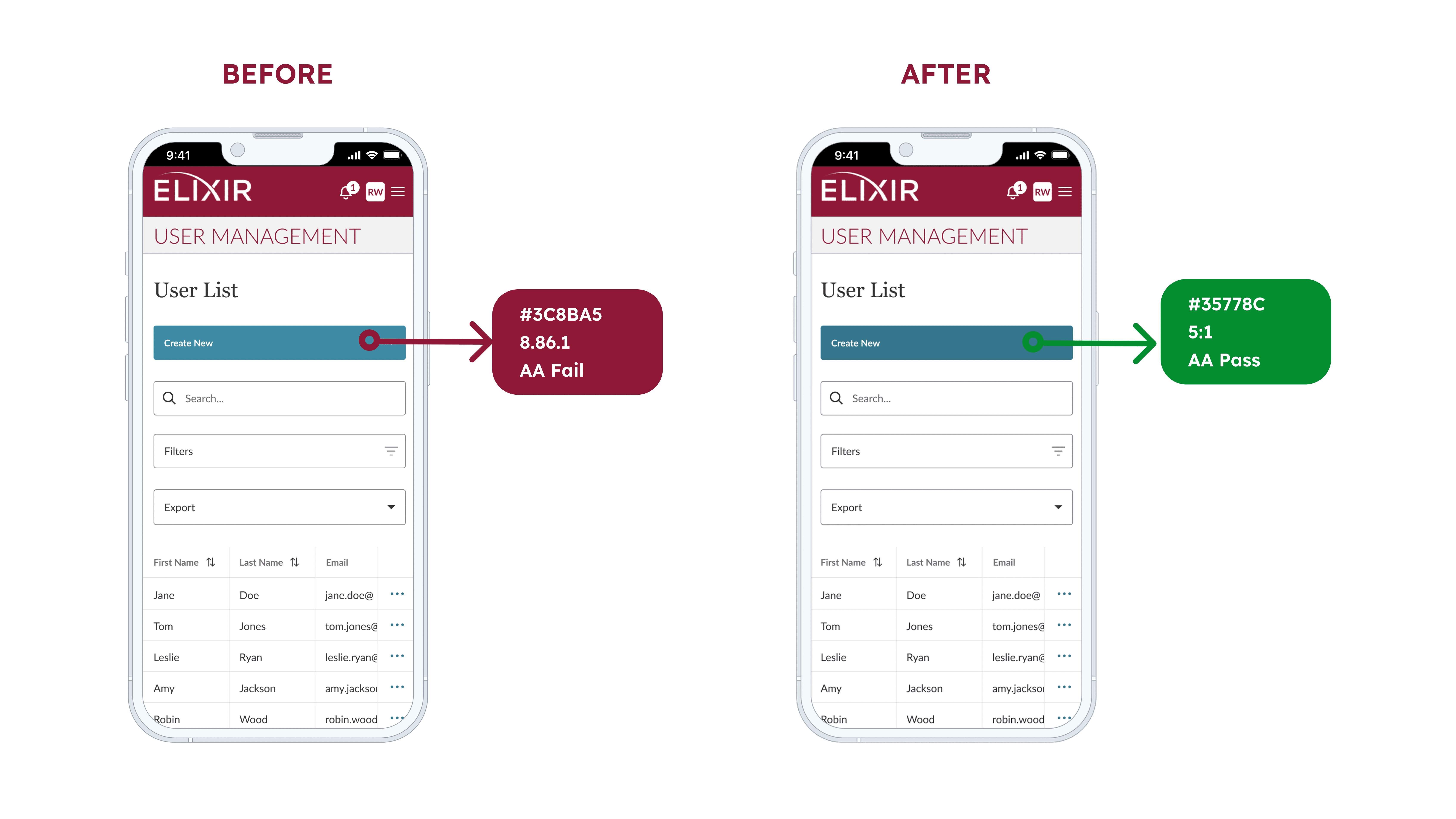
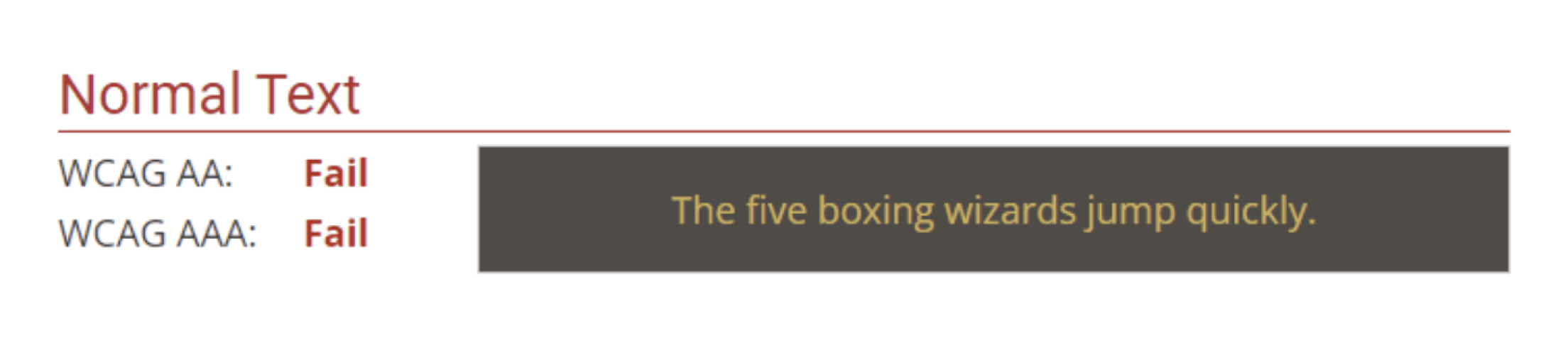
Better contrast compliance
Reduced screen reader navigation errors
Constraints:
Must meet WCAG 2.1 AA guidelines
Maintain existing UX patterns where possible
Keep the platform responsive on desktop, tablet, and mobile
Options Considered
Do minimal fixes — small impact, wouldn’t fully address accessibility gaps.
Rebuild only specific components — improved some areas but inconsistent overall.
Full accessibility redesign — best chance to meet AA standards and improve usability across the product.
Decision
Chose a full accessibility‑focused redesign involving component updates, keyboard support, improved labels, and contrast fixes to meet WCAG 2.1 AA across the platform.
My Contribution
Led full accessibility audit using Lighthouse, Axe, and Wave.
Conducted manual testing with NVDA, keyboard-only nav, and high-contrast mode.
Collaborated with developers + QA to implement and test changes.
Created accessibility documentation and guidelines for future features.
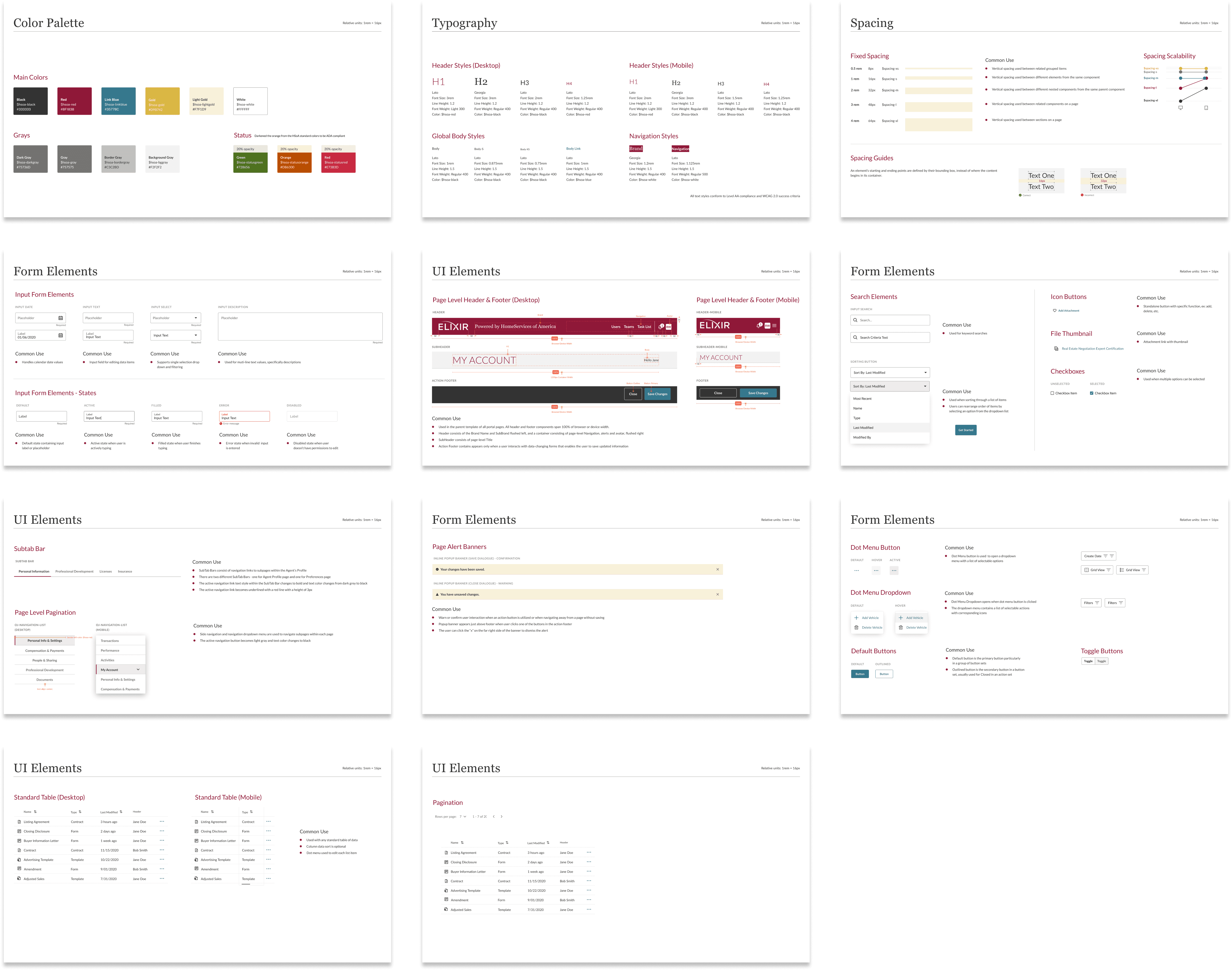
Updated the design system to bake in inclusive, accessible components.
Results
Before: Users with disabilities couldn’t navigate the platform—forms were unclear, keyboard navigation was broken, and screen readers failed on key flows.
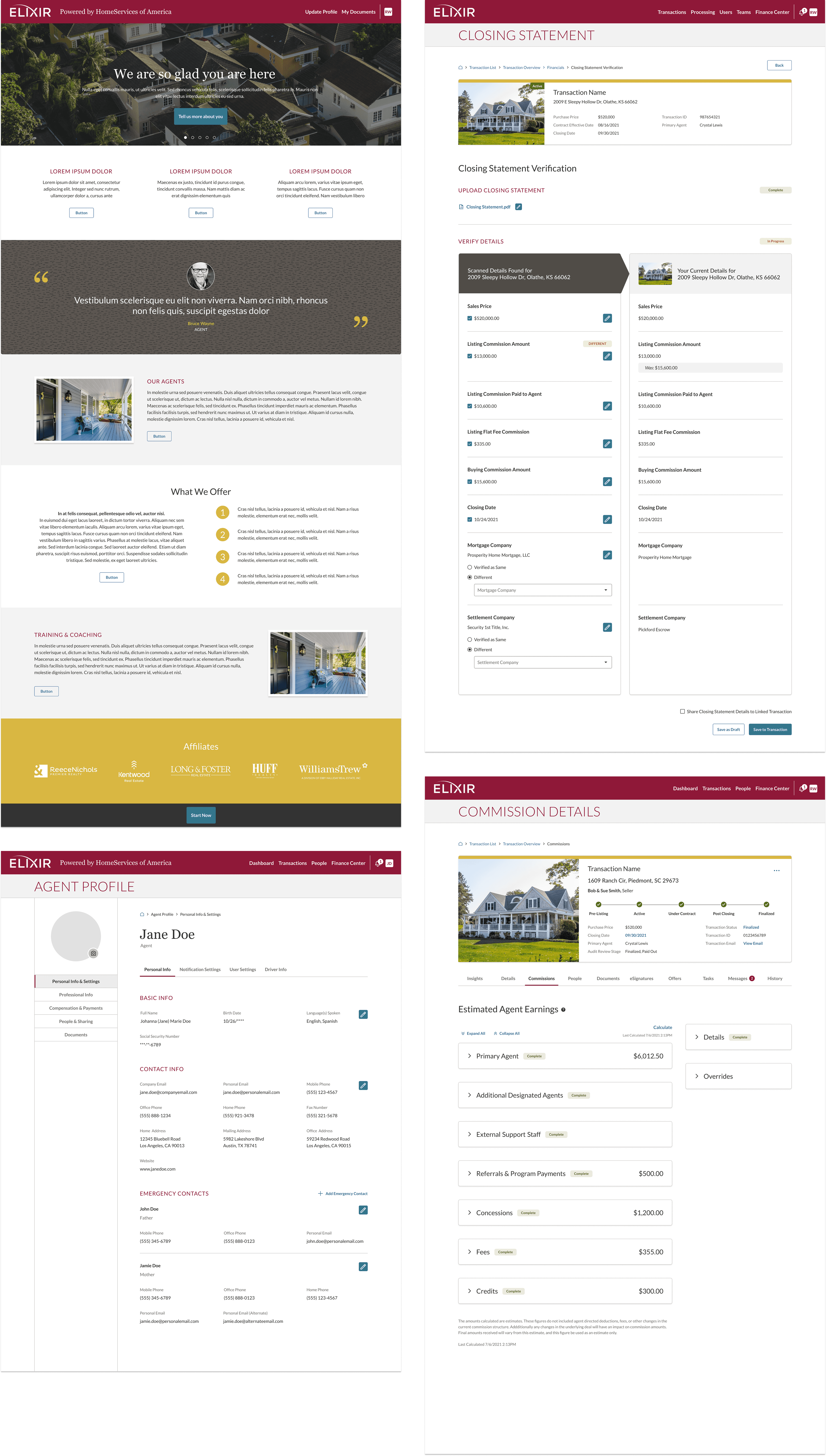
After: A fully accessible, WCAG 2.1 AA–compliant platform with clear forms, full keyboard support, stronger contrast, and robust screen reader compatibility
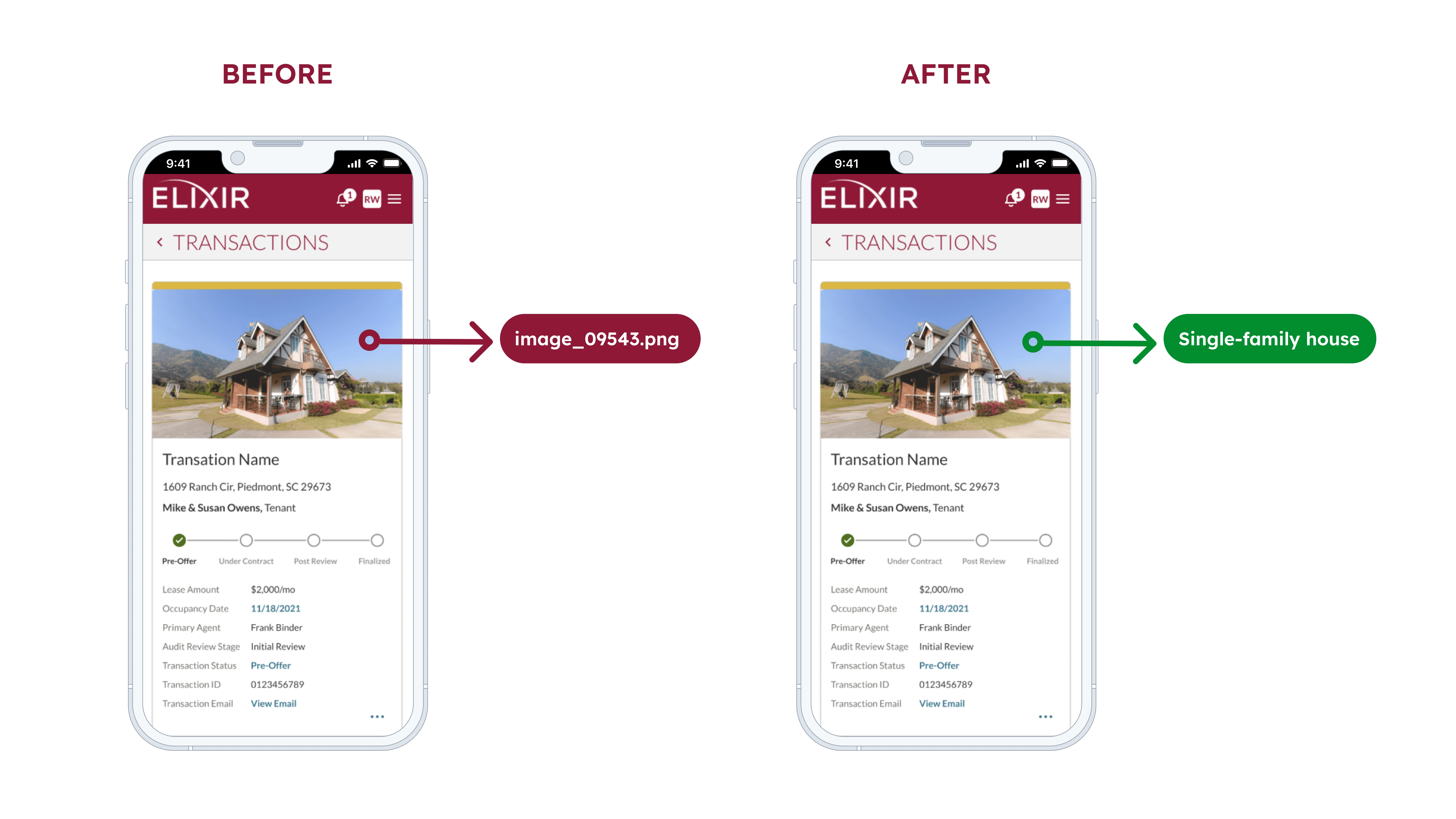
Before and After example showing how adding alt text makes images accessible for all users.
My Approach
Discovery Phase
Ran accessibility audits with Lighthouse, WAVE, Axe
Manual testing with screen readers (NVDA), keyboard nav, and high‑contrast mode
Consulted accessibility guidelines (WCAG 2.1) and experts
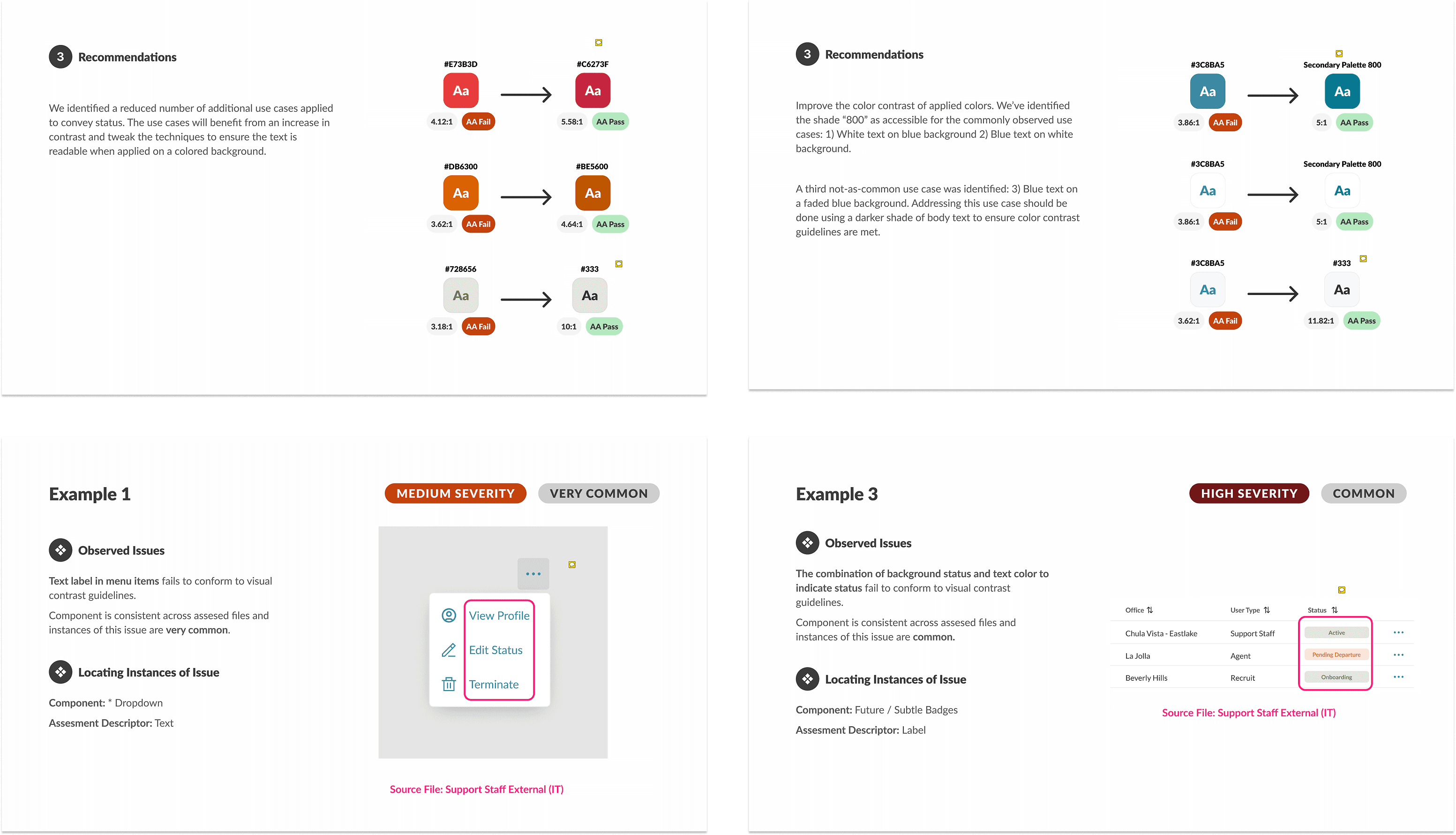
Identified failures in forms, navigation, and contrast
Design and Development
Rebuilt UI components to meet accessibility standards
Added proper form labels, error messaging, and instructions
Ensured all interactive elements supported keyboard focus
Added ARIA roles, landmarks, alt text, and improved color contrast
Testing and Iteration
Worked with QA and developers to test fixes in real usage environments
Iterated on components where assistive tech users had friction
Built ongoing monitoring and regression checks into dev workflows
Validation
Pre‑release task completion metrics for keyboard users
Post‑release usage data showing improved accessibility performance
Team adoption of accessibility documentation and standards
Human Insight
Real users with assistive tech needed clear labels, predictable navigation, and contrast that made text readable without strain — not just compliance tickboxes. These insights shaped the design and testing strategy.
Outcome / Impact
Achieved WCAG and ADA compliance across the web app.
Improved accessibility and usability for a wider range of users.
Standardized UI patterns through an accessible design system.
Reduced accessibility issues and future rework.
Next Steps
Expand manual testing group to include more users with disabilities
Conduct regular accessibility audits as part of sprint review
Train internal teams on accessibility‑first design and development


