


Bravecto Calculator
<!--
Project Details
-->
Client:
Merck Animal Health
Industry:
Pharmaceuticals
Role:
Lead UI/UX Design
Year:
2025
Platform:
Tablet
Project Overview
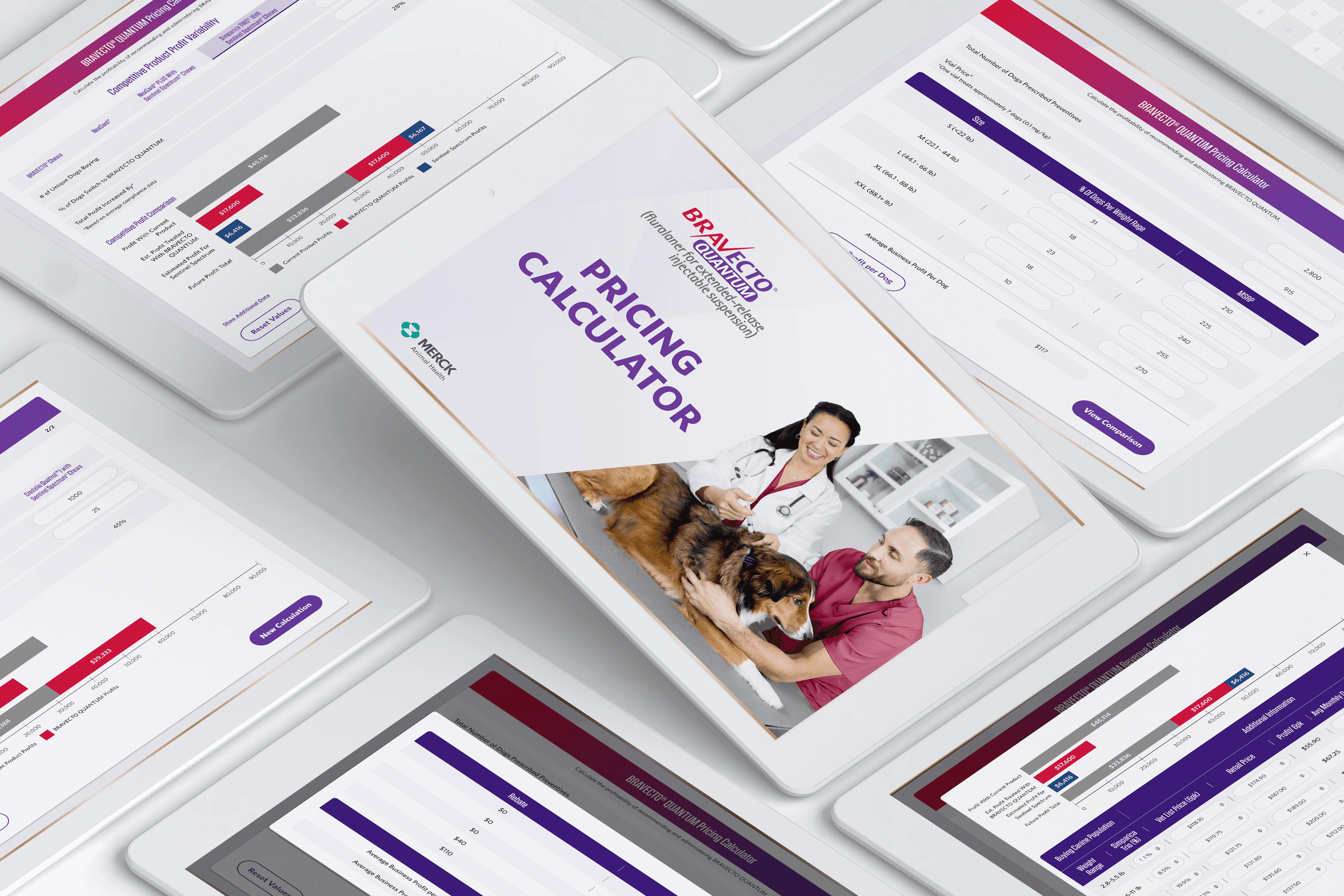
Veterinary clinics and sales reps used a tablet-based revenue calculator to estimate the financial impact of Bravecto products. The existing tool was hard to complete, visually unclear, and caused users to abandon the flow before seeing results—limiting its value as a sales and decision-support tool.
The Problem:
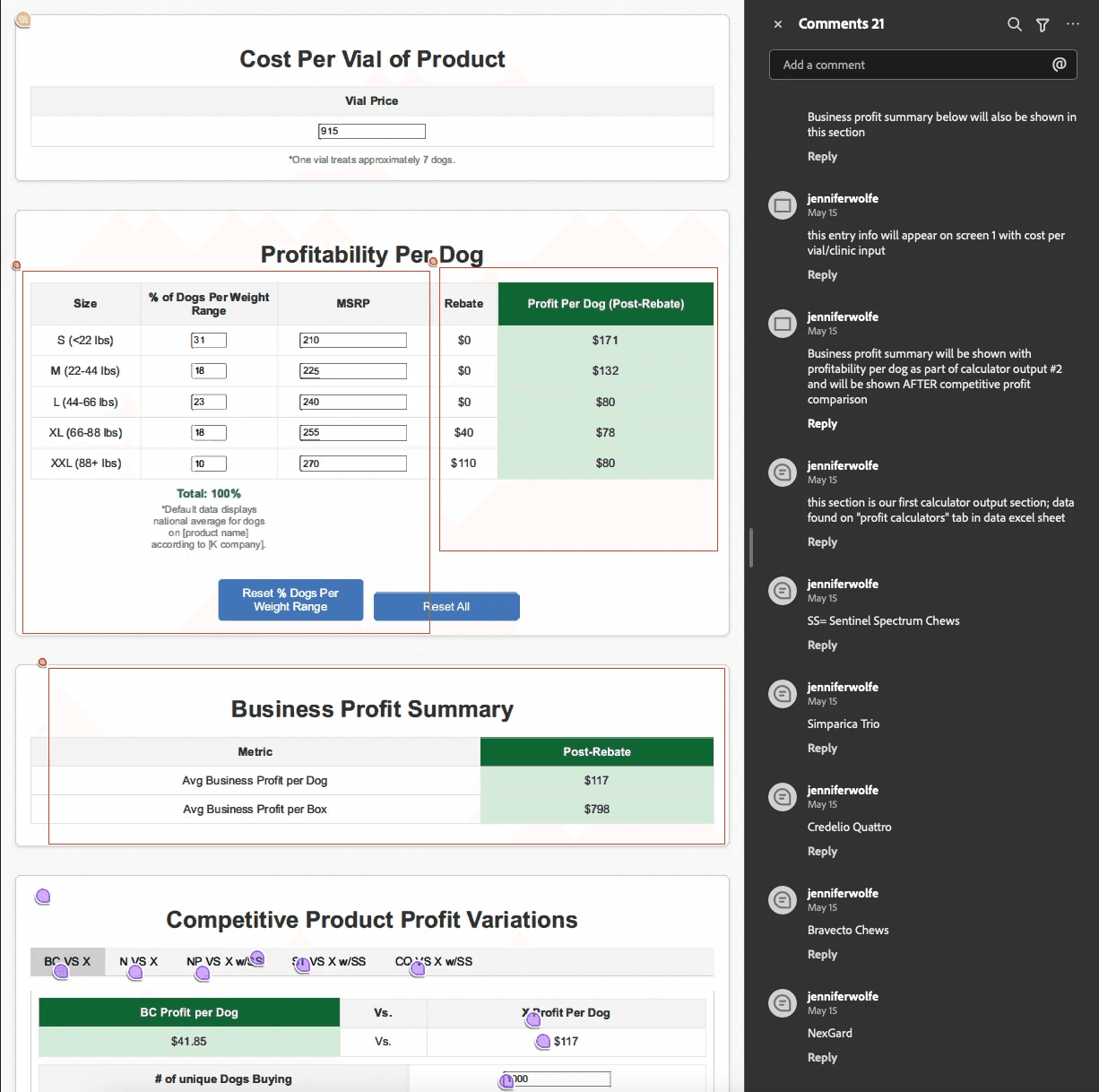
Clunky layout with confusing inputs and no clear flow
Users dropped off before completing calculations (high abandonment rate)
Dense numerical inputs overwhelmed time-constrained veterinarians
Poor visual hierarchy made revenue impact unclear
Not optimized for live, in-person sales conversations
Results weren't shareable or exportable
The Goal:
Increase completion rates and make revenue impact easier to understand, while driving more meaningful follow-up conversations with Merck sales reps.
The Solution:
Redesigned the calculator from a single-screen, dense form into a step-by-step guided flow with large touch targets, visual feedback, and clear revenue visualization—resulting in significantly higher completion rates and increased rep outreach requests.
My Contribution
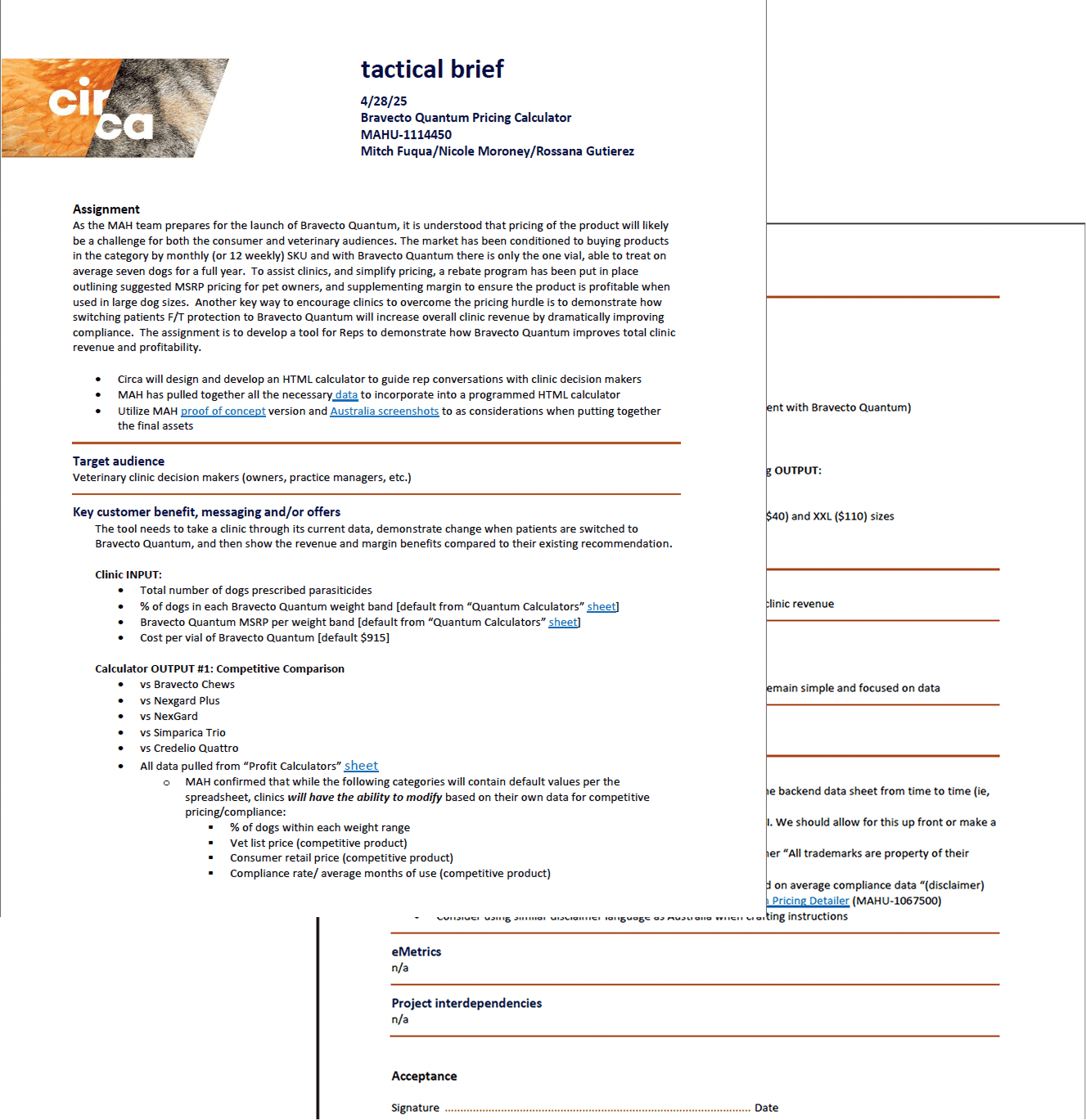
Led UX and UI design end-to-end. Owned discovery, flow design, interaction patterns, visual design, and testing. Partnered closely with stakeholders to align usability improvements with sales goals.
Results
Before
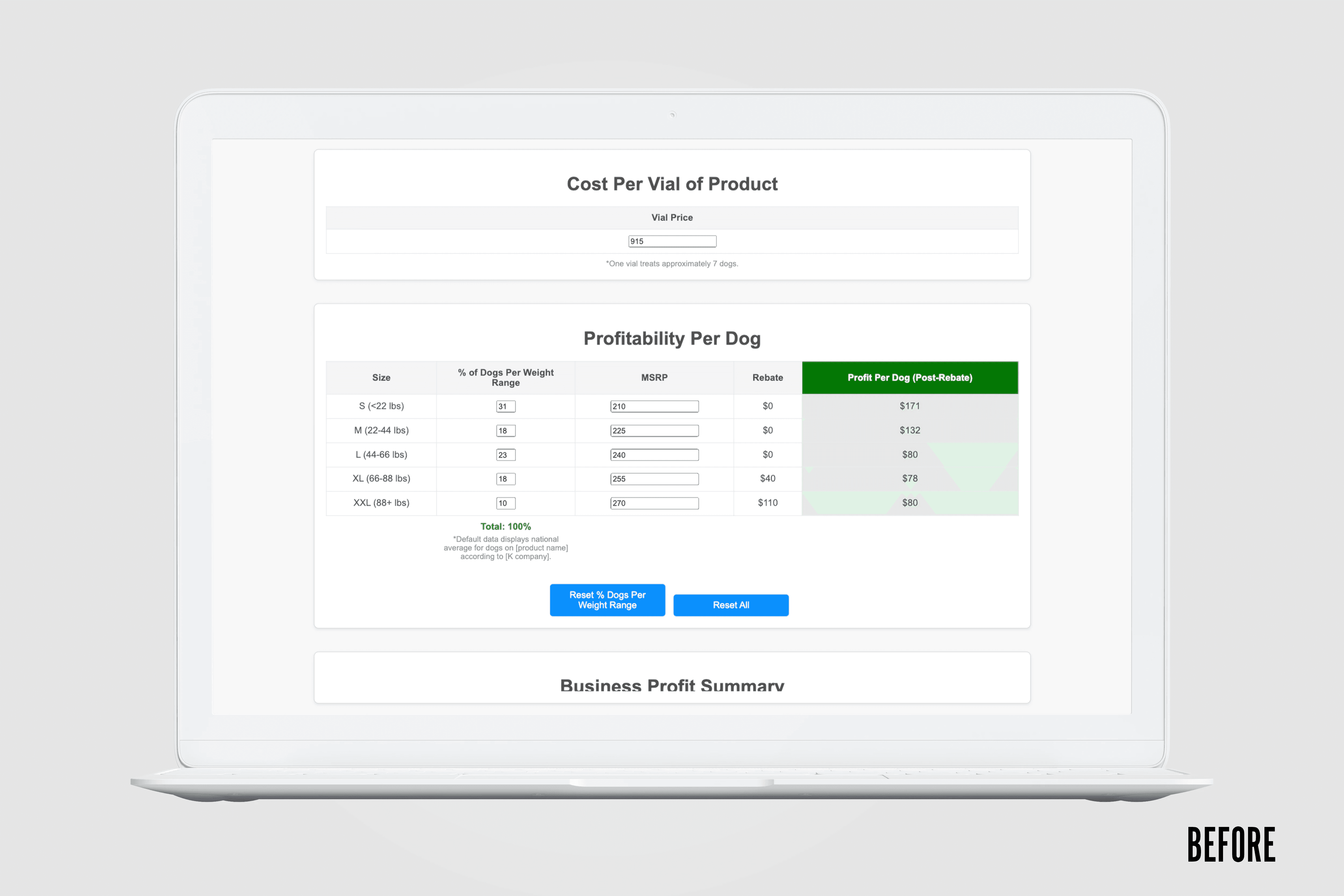
Single-screen, dense form:
All inputs crammed onto one overwhelming page
Small touch targets caused frequent errors
No progress indication or guidance
Text-heavy results that didn't communicate impact
Average completion time: 5+ minutes
High abandonment rate
User Feedback: "Too slow and hard to understand" "I often gave up before finishing" "Results weren't useful for conversations with doctors"
After
Multi-step, guided flow:
Clear, focused steps with single-task screens
Large touch targets optimized for tablets
Visual progress indicators and validation
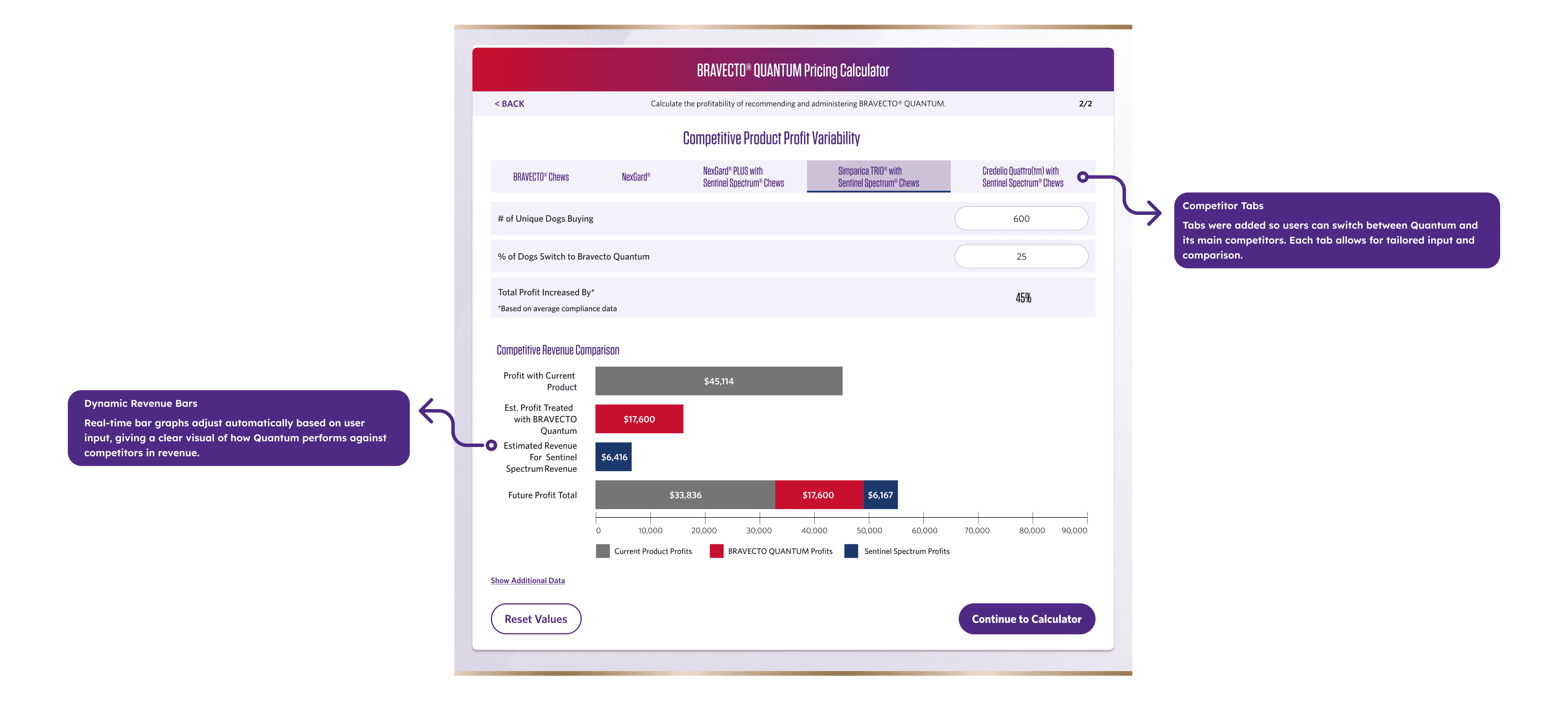
Chart-based results with clear revenue impact
Average completion time: 30 seconds
High completion rate
User Feedback: "So much faster and easier to complete" "The visual results help me explain value to veterinarians" "I can actually use this during a quick conversation"

My Approach
01 — Discovery
User Research:
Interviewed 5 veterinary technicians and 3 clinic managers who used the tool on iPads
Shadowed 2 sales reps during in-clinic visits to observe real-world usage
Analyzed existing tool usage data to identify drop-off points
Key Insights:
"It's too slow. I'm constantly being interrupted by patients and staff—I can't remember where I was in the calculator."
— Veterinary Technician
"The results don't tell me anything useful to share with the doctor. I need something visual I can show them."
— Merck Sales Rep
Research Findings:
Speed is critical: Clinic staff are frequently interrupted and need to complete quickly
Shareability matters: Reps need outputs they can discuss with veterinarians in real-time
Visual trumps numbers: Text-heavy results don't communicate impact effectively
Touch optimization needed: Small buttons and dense layouts caused frustration on iPad
Average completion time: 5+ minutes (too long for clinical environment)
User Context:
Clinic staff: Multitasking, time-constrained, need quick answers
Sales reps: Mobile, presenting during short windows, need persuasive visuals
Environment: Busy clinics, sometimes low/no internet signal, tablet-only access
02 — Define & Strategy
Problem Framing: The calculator's complexity and poor UX created cognitive overload, causing abandonment before users could see the value.
Options Evaluated:
Option A: Light UI Refresh
Pros: Fast to ship, minimal development
Cons: Doesn't fix core complexity or drop-off issues
Decision: Rejected
✅ Option B: Step-Based Guided Calculator
Pros: Reduces cognitive load, keeps users moving forward, clear progress
Cons: More screens to design and test
Decision: Selected based on user research showing overwhelm from dense inputs
Option C: Fully Automated Calculator
Pros: Minimal user input required
Cons: Insufficient data availability, outside project scope
Decision: Rejected
Strategic Decision: Chose Option B because breaking the complex calculation into digestible steps would reduce abandonment while building confidence through progressive disclosure.
Success Metrics:
↑ Completion rate vs. previous tool
↓ Average time spent on data entry
↑ Rep outreach requests (indicator of engagement)
↑ User satisfaction scores
03 — Design
Interaction Design Strategy:
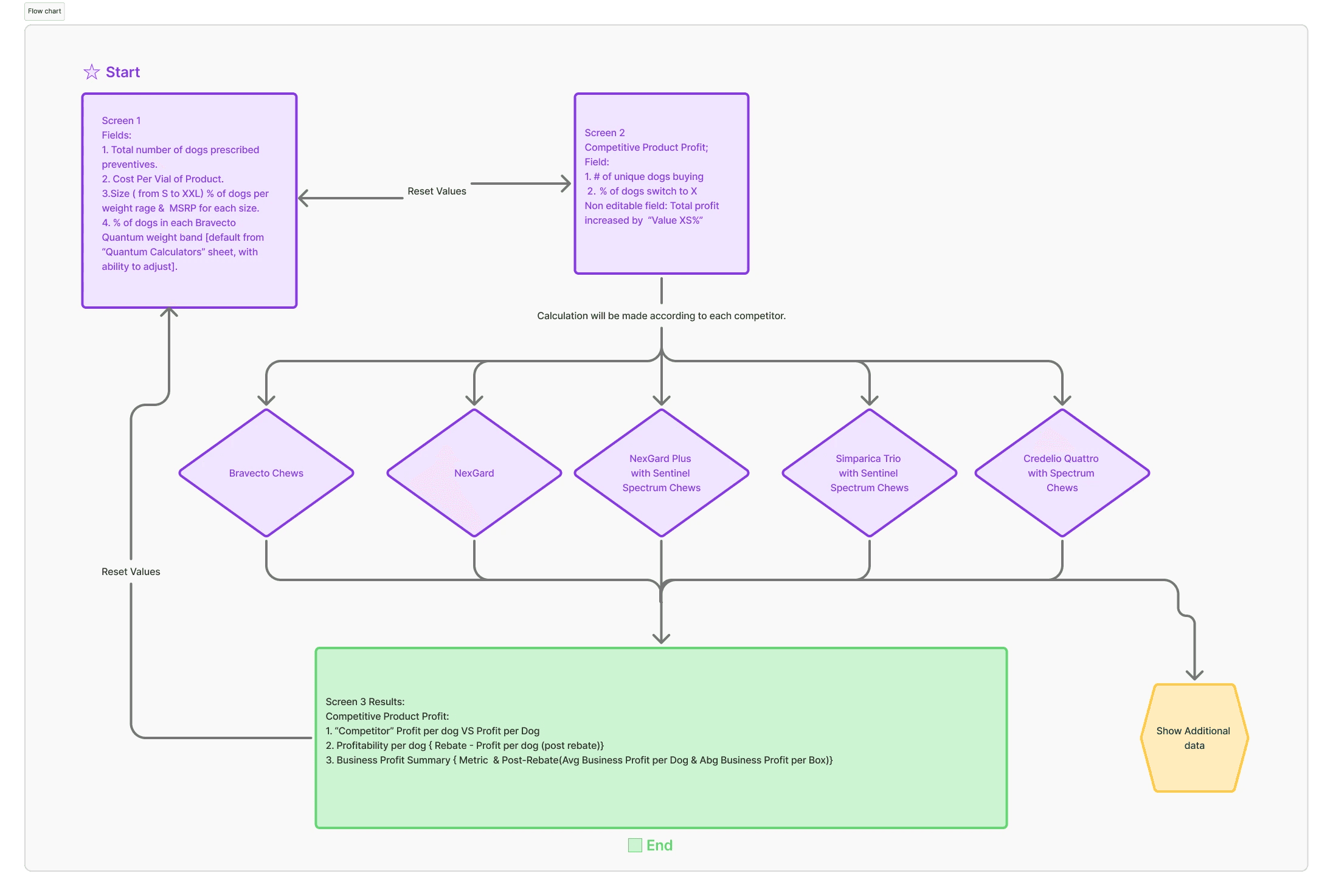
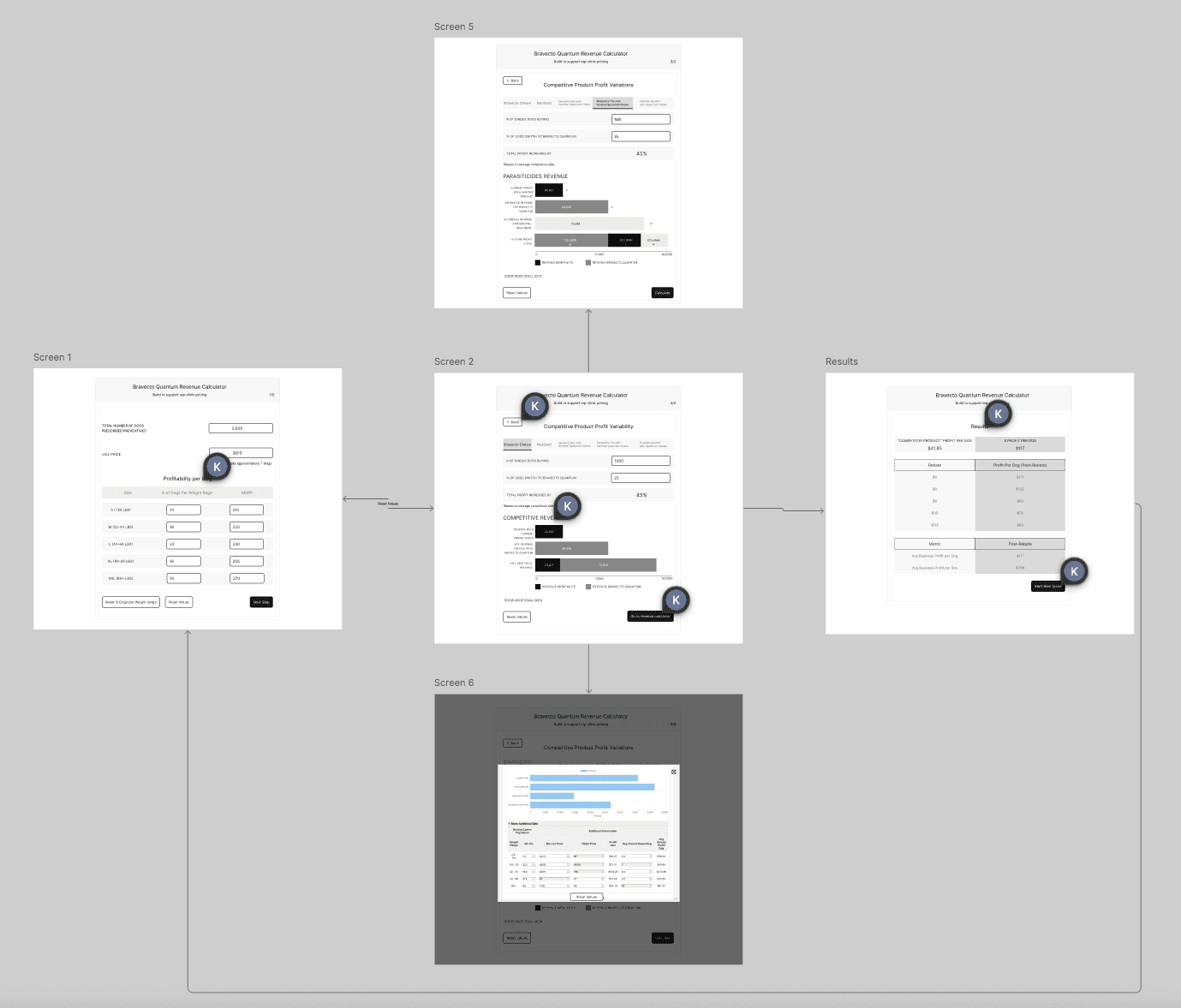
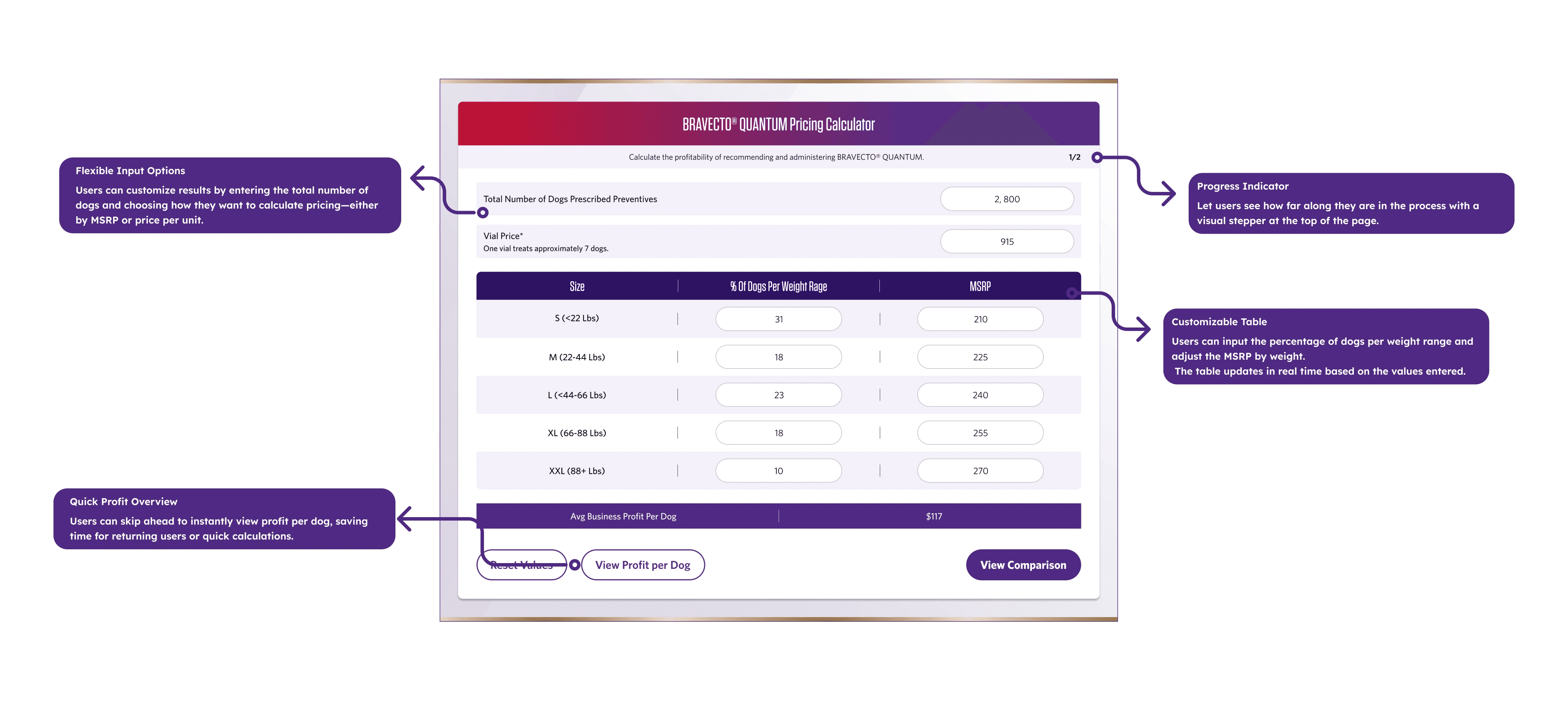
Step-by-Step Guided Flow: Instead of overwhelming users with a single dense form, I created a multi-step process:
Each step focused on a single task, reducing cognitive load and allowing interruptions without losing progress.
Tablet-First Design
Touch Optimization:
Minimum 44px × 44px touch targets for all interactive elements
Generous spacing between input fields (prevent mis-taps)
Large, readable typography (16-18px minimum)
High-contrast labels for clinical lighting conditions
Visual Hierarchy:
Clear step indicators showing progress (1 of 4, 2 of 4, etc.)
Primary action buttons in high-contrast color
Secondary actions (back, skip) visually de-emphasized
Input fields with clear labels and placeholder examples
Input Design:
Number pads for numerical entries (faster than keyboard)
Dropdown selectors for predefined options
Smart defaults based on average clinic data
Inline validation to prevent errors before submission
Results Visualization:
Transformed dense numerical output into visual, shareable insights:
Revenue impact charts: Bar graphs comparing current vs. potential revenue
Key metrics highlighted: Annual revenue increase in large, bold numbers
Breakdown sections: Collapsible details for those who want deeper analysis
Share functionality: Prepared for future PDF export
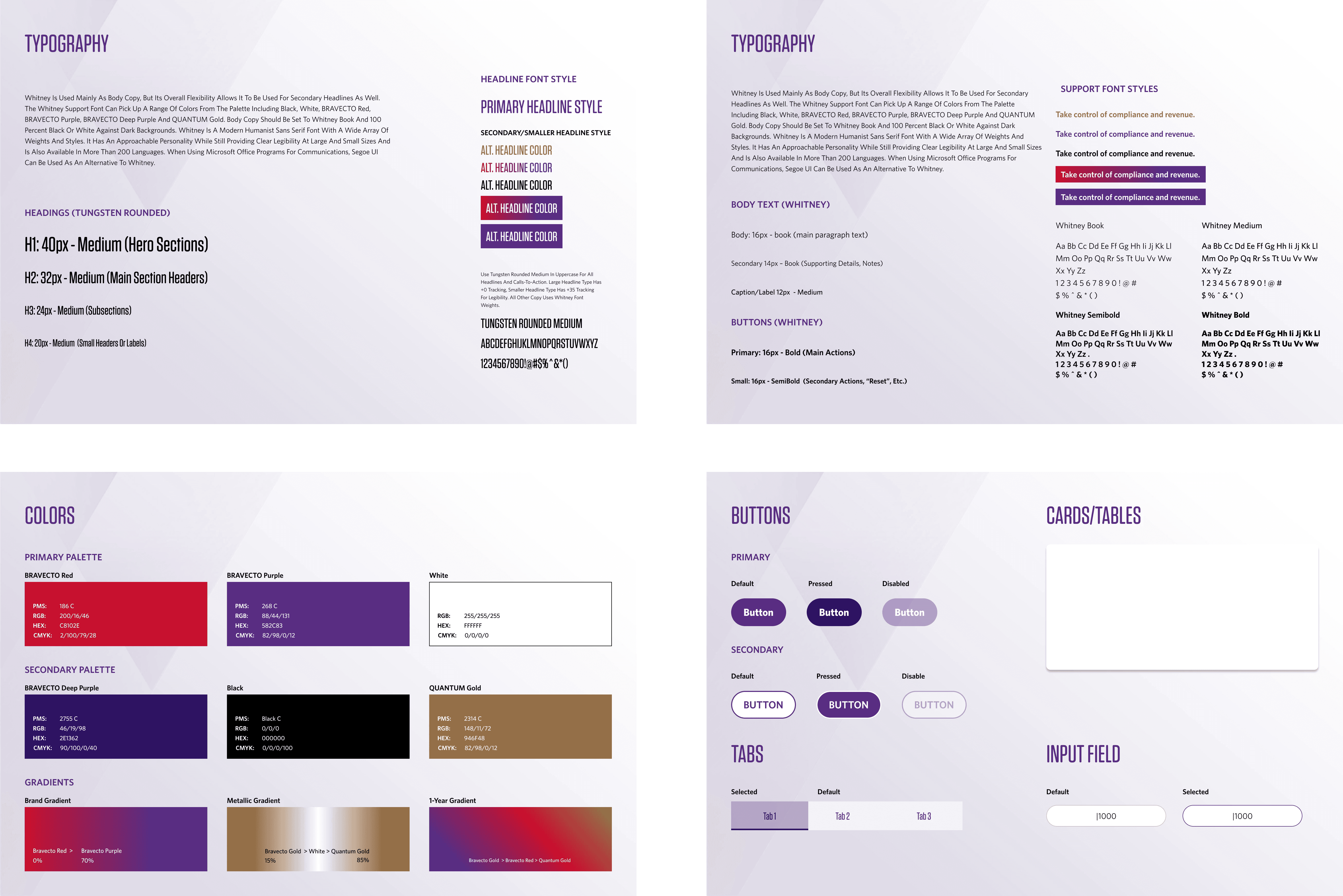
Design System:
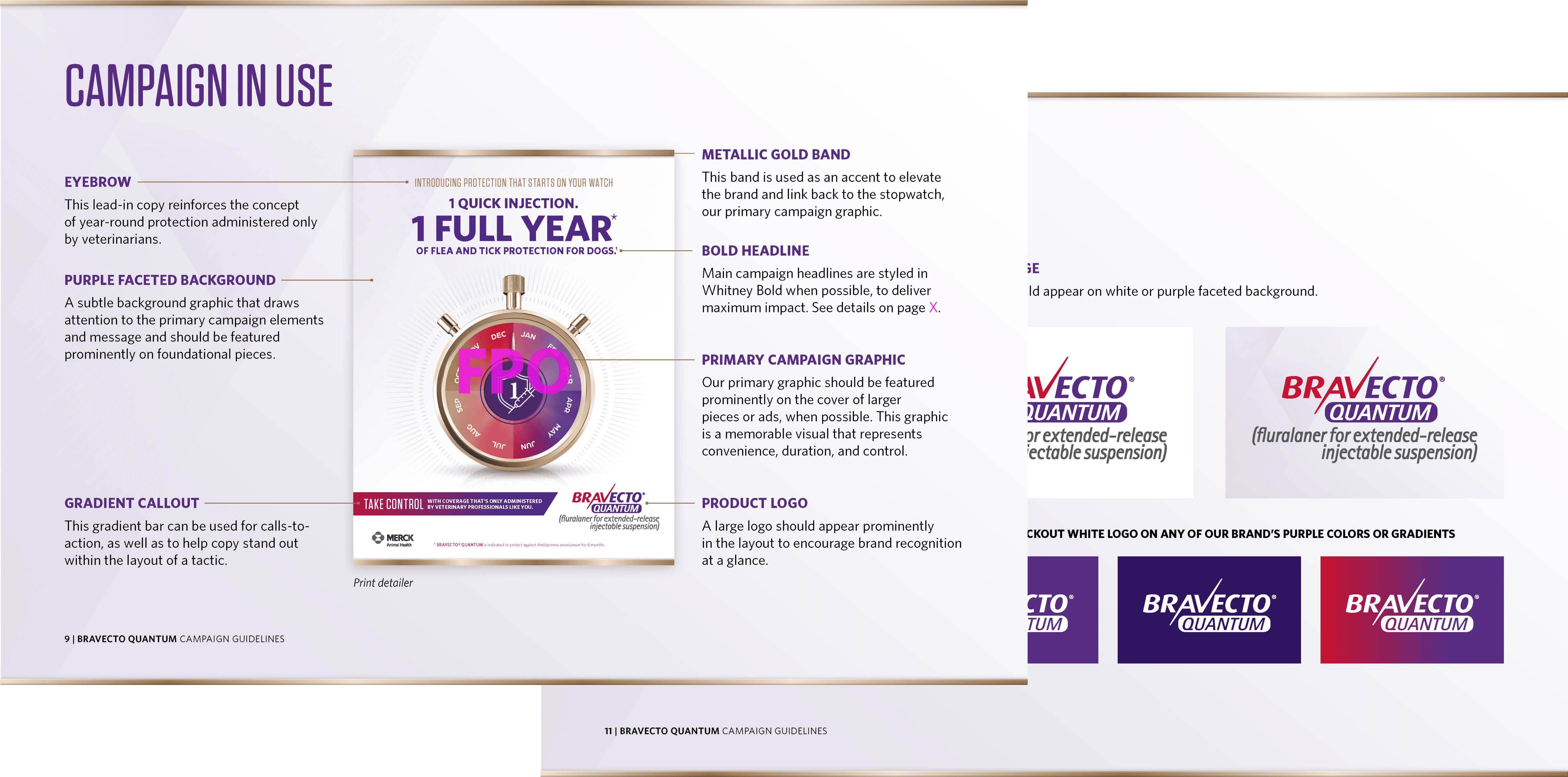
Color Palette: Bravecto Quantum colors with WCAG AA compliant contrasts
Typography: Clean, professional sans-serif optimized for tablets
Iconography: Simple, recognizable icons for quick scanning
Spacing: 8px grid system for consistent rhythm
04 — Test & Iterate
Usability Testing:
Conducted 3 rounds of testing on actual iPads
8 participants (4 veterinary staff, 4 sales reps)
Task: Complete a revenue calculation from start to finish
Measured: Completion rate, time, errors, satisfaction
Key Iterations:
Iteration 1: Step Labels
Initial approach: Technical labels ("Practice Parameters Input")
Problem: Users confused by terminology
Solution: Simplified to plain language ("About Your Practice")
Result: 100% comprehension vs. 60% before
Iteration 2: Touch Target Spacing
Initial approach: Standard 8px spacing between fields
Problem: Users frequently mis-tapped adjacent fields
Solution: Increased to 16px spacing, enlarged touch areas
Result: 70% reduction in input errors
Iteration 3: Results Screen Clarity
Initial approach: Text-heavy breakdown of calculations
Problem: Users skipped reading, missed key insights
Solution: Led with visual chart, made numbers scannable
Result: 85% of users immediately understood revenue impact
Iteration 4: Progress Indicators
Initial approach: Simple "Step 2 of 4" text
Problem: Users didn't feel sense of progress
Solution: Added visual progress bar with checkmarks for completed steps
Result: Increased completion confidence
Validation Methods:
Shadowed sales reps using tool in real clinic visits
A/B tested two results layouts (visual-first won by 40%)
Gathered feedback from Merck stakeholders on business alignment
Next Steps & Future Enhancements
Planned Improvements:
PDF Export: Allow reps to email results to veterinarians for follow-up
Multilingual Support: Expand to Spanish-speaking markets
Integration: Connect with broader Merck rep tools and CRM systems
Comparison Mode: Let users compare multiple product scenarios side-by-side
Historical Tracking: Save calculations to show revenue growth over time
Next Steps
Future improvements include:
PDF export of results
Multilingual support
Integrating revenue outputs with broader Merck rep tools